Web.Developer Pro is the fastest way to create and run websites on Windows
 |
Web.Developer Pro is a website development and hosting application with Apache 2.4, PHP 8 and 7, and MySQL 8.
Create and run websites on Windows after a simple, quick installation.
- Professional-Grade
- Fully-Supported
- Secured and Hardened
- Performance Optimized
- Modular and Clean
Now with support for latest PHP 8!
For Windows 10 (and Server 2019) +.
☆ Web.Developer Pro does not collect any information about your websites, requires no sign in, and never reports to a server.
|
Installs Under 1 Minute - Ready to Run - No Manual Required - Self-Contained |
Quick Installation ✓Web.Developer Pro is quick to install and even quicker to uninstall. In under 1 minute. |
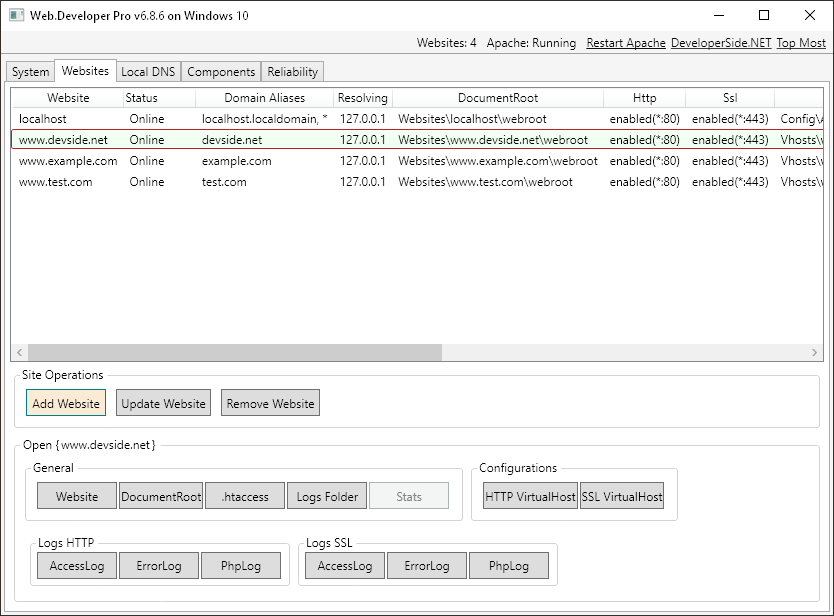
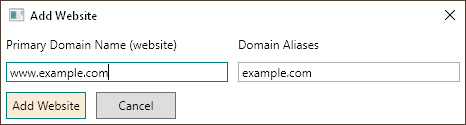
Fast Websites ✓Web.Developer Pro creates websites faster than all other platforms combined. Type in a domain name... done. |
Privacy Aware ✓Web.Developer Pro does not collect any information about your websites. |
Easy Updates ✓Web.Developer Pro updates Apache, PHP, and MySQL versions with a click. |
PHP 8 Ready ✓Web.Developer Pro is PHP 8 ready ahead of everyone else. |
Simple Structure ✓Web.Developer Pro keeps everything simple and contained in 2 folders: \Websites + \Database |
Zero Mess ✓Web.Developer Pro makes no modifications to your system. |
Finely Tuned ✓Web.Developer Pro is fully configured with optimal settings. From the start. |
No Forced Upgrades ✓Web.Developer Pro does not force upgrades... Keep using what you have downloaded. |
☆ ☆ ☆ ☆ ☆
Download Web.Developer Pro
Buy Web.Developer Pro ($125.95)
☆ ☆ ☆ ☆ ☆
Latest Version:
WebDeveloper-6.8.6-7.zip | Released June 26, 2023 | (ZIP file, 423MB)
With Apache 2.4.57, PHP 8.2.7 + 8.1.20 + 8.0.29 + 7.4.33 + 7.3.33 + 7.2.34, MySQL 8.0.33, phpMyAdmin 5.2.1 (all languages), cURL 8.12
With Xdebug, Ioncube Loader, ImageMagick, SqlSrv, and PHP Opcache
For PHP versions 8.2.1, 8.1.1, 8.0.1, 7.4.1, 7.3.1, 7.2.1: WebDeveloper-PHP-Legacy-Versions-062623.zip (ZIP file, 216MB)
Compatible with:
Windows 11/10 and Windows Server 2022/2019/2016/2012 (64 bit)
Requirements:
1.5GB free space, .NET 4.5.2 or higher (present on all current and updated Windows versions)
Installation Instructions:
The zip file contains folder "WebDeveloper", copy this folder to C:\ (or to the root of any drive). Forming C:\WebDeveloper.
Run file C:\WebDeveloper\WebDeveloper.exe, click the "Run Installation Tasks" button, when the process is finished, the Apache and MySQL Services should have already started and you should be able to create and run websites.
Some firewall software and anti-malware applications might have the Windows HOSTS file (C:\Windows\System32\Drivers\etc\hosts) locked. If the installation fails on the Hosts File Check step, add this file path to the app's Exclusion List or disable the lock feature in its settings.
Quickstart with PHP and Visual Studio Code
To develop and debug PHP code with Visual Studio Code: search for "PHP" under Extensions and install "PHP Debug".
Edit the current \WebDeveloper\Config\Php\php.ini file and uncomment the XDebug section (this section is usually located at the very bottom of file).
Add in line: xdebug.start_with_request = yes
Save file, restart Apache, and check http://localhost/phpinfo.php for validation that this module has been loaded.
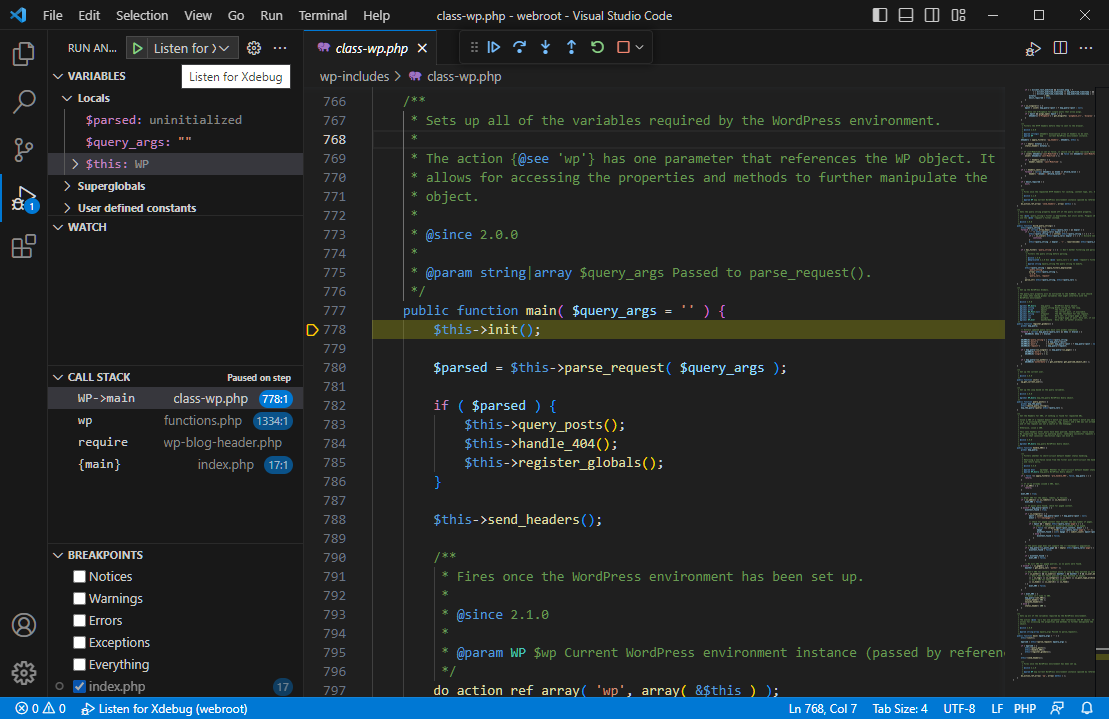
To start developing and debugging PHP code, for example Wordpress, install WP in a website, and open the WP folder in VSCode...
Set a breakpoint in any file, click Run Debugging (Listen for XDebug), and access the website URL in your browser. VSCode will break on that line and step into the code.
When asked by Windows Defender Firewall, allow VSCode private network access.
Hosting Websites
For Local development
Web.Developer Pro is fully set and nothing more is required.
For Website hosting (and Production use)
To allow incoming web requests, remove all existing "Apache HTTP Server" rules in Windows Firewall, create a rule that allows incoming TCP Port 80 and Port 443 requests (HTTP and HTTPS ports), and update DNS records with the Registrar for your domain names to point to the server's public IP address.
For Hosting from home
To route incoming web requests, set your router to forward ports 80 and 443 to the server's LAN IP, reserve that LAN IP for the server, and set Dynamic DNS (or use a DDNS client) if you have a non-static internet IP address.
Backup and Restore
How to Backup Web.Developer Pro
Stop Apache and MySQL, make a zip of folders: \Vhosts, \Websites, \Database\mysql-data-80 (if using MySQL 5.7, "mysql-data-57").
* Make sure MySQL is not running or the DB files in the zip will be corrupt.
How to Restore Web.Developer Pro
Stop Apache and MySQL, first delete existing then copy-in the above folders. Restart the application and start the Services.
* In most current circumstances, a newer version of Web.Developer Pro can be used as the base.
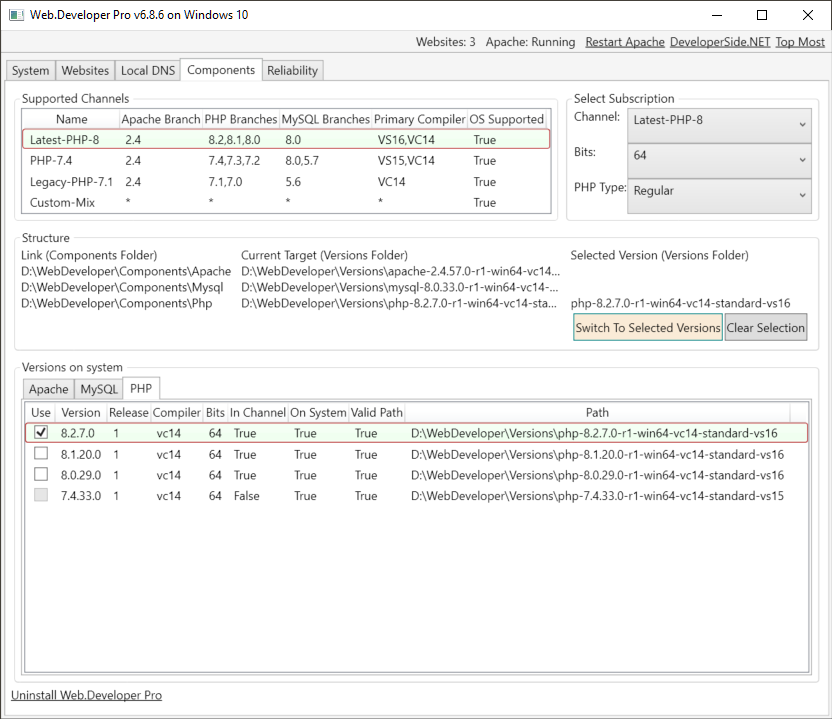
Update Apache, PHP, MySQL
Apache, PHP, and MySQL can be updated without having to upgrade your current Web.Developer Pro version.
Copy the new versions from the latest release into your existing \Versions folder and select-switch to them via Components tab.
To use PHP branches that are not provided by older releases, a version upgrade is usually required as it will be configured with newer PHP channels and config files.
Login to phpMyAdmin
On the default install, to login to phpmyadmin, use - username: root, password: leave it blank, it's not set. User root is secured to local system access.
Installing Webapps
Copy the app files into the website's webroot folder, or a subfolder (as-is will be the URL).
In phpmyadmin (login as root), create a database, and a username/password for that database (all permissions granted).
Go to the URL, and input the above info into the webapp's DB form.
Uninstalling Web.Developer Pro
To uninstall, click the uninstall link at the bottom of the Components Tab, proceed, then delete the remaining C:\WebDeveloper folder to clear all changes. You can reinstall as many times as you like.
Support
Email support@devside.net. For technical support, include a screenshot of the issue, and attach files install-log.txt and exceptions-log.txt.
Product Guarantee
Purchase of the product comes with a 30 day money back guarantee - no questions asked. Email support to receive a refund.
If after purchase you have not received (within 24 hours) an email with a Serial Number / Key for the product: check your Spam (or Junk) folder, and contact support.